

Apps & SaaS / Practical guide
SaaS MVP Scope: Turn One Workflow into a Testable First Release
A useful SaaS MVP scope names one customer group, one recurring task and the result they must reach. Map that task from start to finish, decide which steps need software, and write the checks that will show whether the first release works.
Choose a recurring problem and the people doing the work
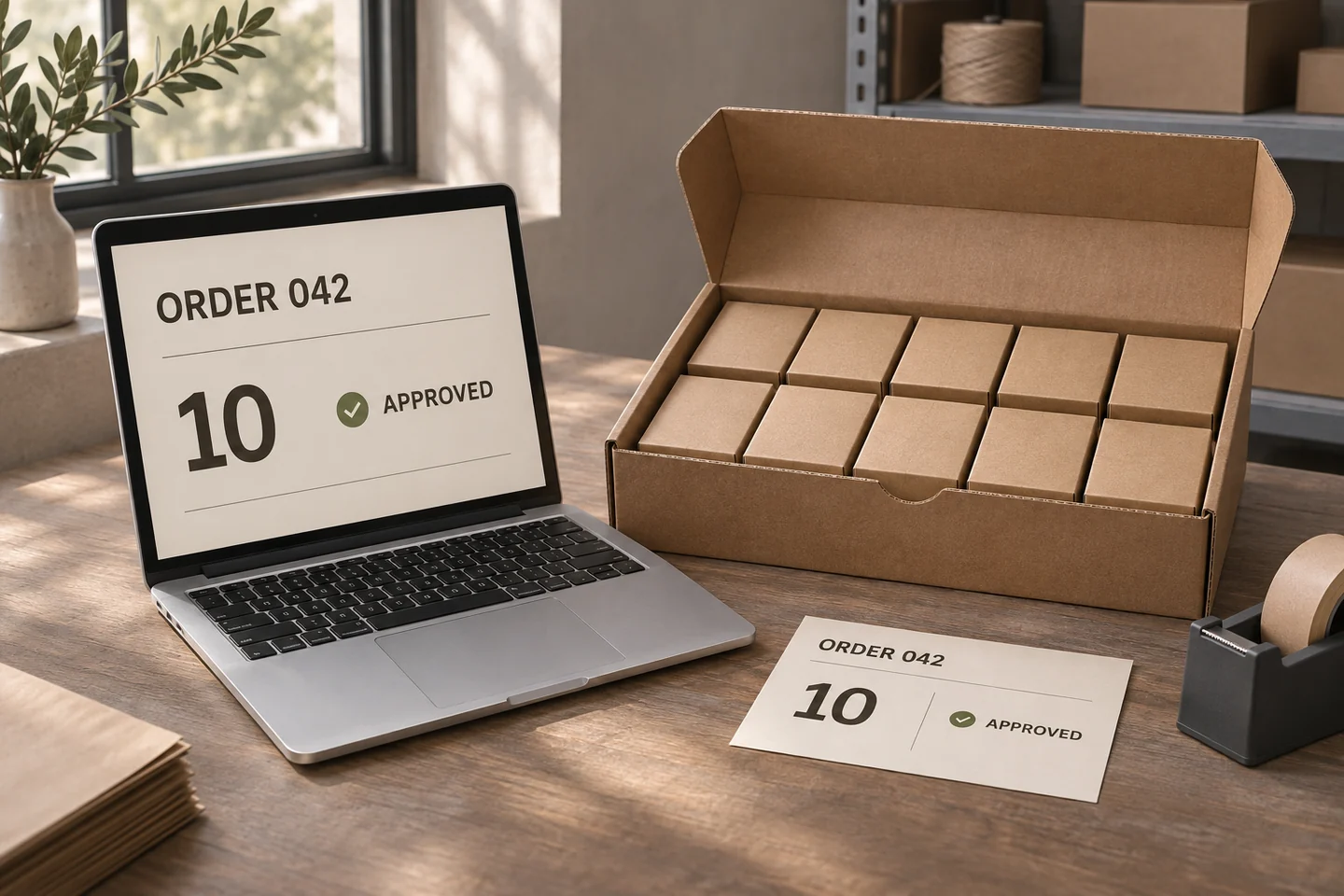
A founder may describe the idea as “a platform for wholesale operations.” The person packing tomorrow’s deliveries needs something more specific: an approved order list with the correct quantities. That gives the first release a finish line. The wholesale example in this guide is fictional; use it to write a scope for your own product.
Name the person who starts the task, anyone who approves it, and the person who uses the result. The buyer of a subscription may be different from its daily user.
Ask prospective users to describe the last time they completed the task. What started it? Where did they copy information? What needed correcting? Which document or screen did the next person receive? Request anonymised examples where practical.
Y Combinator’s Michael Seibel recommends speaking with users, keeping the initial product limited and learning from use after launch. His talk is a useful planning reference; it does not establish a delivery estimate for your project.
An older planning lesson about early users, a limited first version and learning after launch. The sections beginning at 0:41 and 11:22 are useful when deciding which problem to investigate and what to put in a written scope. This is guidance, not a delivery timetable or a supplier endorsement.
Video: Michael Seibel - How to Plan an MVP by Y Combinator. Creator’s notes.
The YouTube player connects only when you press play. You can also use the video link above.
Sources: Y Combinator: How to plan an MVP
Map the workflow backwards from a visible result
For the wholesale example, the finish is a packing list showing ten cartons. Before that, someone approves the order. Before approval, the buyer enters or changes the requested quantity.
Write each handoff with its owner and output. Then add the exception most likely to break it. If the buyer changes twelve cartons to ten, what happens to an earlier approval or printed list? Decide how that change becomes visible before building the screens.
A clickable prototype can help you explore the sequence. GOV.UK’s prototyping guidance explains how teams can test approaches before committing to production code. Apply that principle to your product; a convincing prototype still needs separate engineering work before real customers depend on it.
Buyer submits
Records the requested quantity and sees confirmation of what was submitted.
Approver confirms
Approves a specific order version; quantity changes have an agreed review path.
Packer receives
Uses a packing list that matches the approved order version and quantity.
Fictional wholesale workflow for scoping discussion. Define the actual roles, permissions and version rules with your pilot users.
Sources: GOV.UK: Making prototypes
Decide what to build, handle manually or defer
Review each proposed feature against the workflow. Build the parts needed for the pilot users to complete the task accurately. In this example, that might include order entry, approval and the packing output. The actual scope depends on how the business operates.
Handle a step manually when someone can own it reliably during the pilot. A founder might enter the initial product catalogue instead of commissioning a supplier-import tool immediately. Record who does that work and how often.
Defer additions with a clear reason to revisit them. A second warehouse becomes relevant when the pilot needs to fulfil orders from two locations. A dashboard chart needs a named decision it will support.
Access rules, recovery and error handling need their own review. Include the protections required by the data and users involved. The decision to postpone a feature should not leave people able to see another customer’s records or silently lose an order.
Build for this pilot
The step is needed to complete the customer task accurately and has a testable result.
Handle manually
A named person can perform it reliably; effort and recovery are recorded.
Revisit later
Record the event or evidence that would make the addition necessary.
A planning framework, not a universal feature list. Review access, data protection, error handling and recovery separately.
Write acceptance checks before estimating the build
An acceptance check describes an observable result that the founder, user and developer can review together.
Add checks for the same task going wrong. What should the buyer see if saving fails? What happens if someone tries to approve an outdated order? Can the packer identify which list is current?
Test the workflow on the devices pilot users will use. Include narrow screens, keyboard access, labels and clear error messages. W3C’s forms guidance explains how to communicate errors and successful completion.
Fictional order acceptance check
Maya submits twelve cartons, changes the quantity to ten before approval, and the approved packing list shows ten.
Sources: W3C WAI: User notification in forms
Give integrations and AI features a specific job
List each external system the workflow needs, the information exchanged and the person responsible for access. Ask what happens when the connection is unavailable.
A pilot may use an agreed manual export while a later version gets a direct integration. That choice needs an owner and a workable recovery procedure.
If AI is part of the idea, define its input, expected output and review step. An order assistant could suggest product matches while a person confirms the selection. Test how an incorrect suggestion affects the rest of the workflow before allowing it to change a live order.
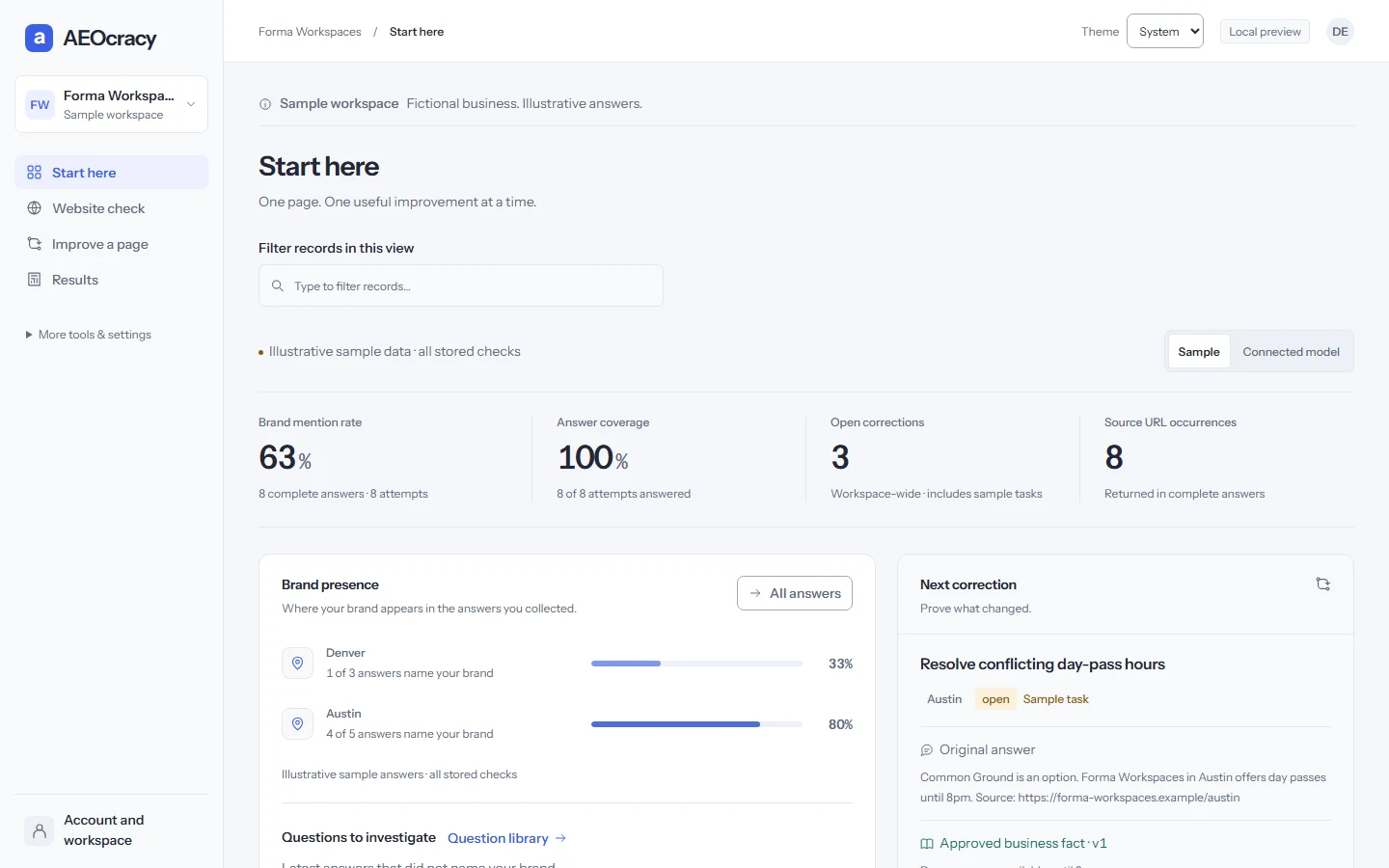
DBS’s AEOcracy case study shows a product interface connecting questions, evidence and audit findings. Its preview uses fictional sample data. It illustrates interface decisions, rather than proving a particular SaaS business model or commercial result.
Agree what the pilot should teach you
Write the question the first release needs to answer. For example: can buyers and packers complete the order handoff with quantities that agree?
Choose evidence that relates to that question. Record completed tasks, corrections, support interventions and where users stop. Agree how you will review the observations, including the context behind a failed attempt.
For international pilots, name the actual countries and users involved. Date formats, currencies, languages, time zones and payment methods can change the workflow. Confirm those needs with the intended users and providers before including them in the estimate.
Set a review point with the team. The next scope should follow what the pilot reveals.
Prepare a brief a development team can estimate
Bring the workflow map, pilot user roles, required outputs, acceptance checks, external systems and deferred features to the scope discussion. Identify who supplies sample data, approves designs and supports pilot users.
Ask the supplier to state assumptions, exclusions, ownership and handover responsibilities. Unresolved dependencies should remain visible in the estimate.
Use the checklist below to record whether those decisions are ready. Your selections stay in the page until you leave or refresh; copy them into your project notes to keep them.
Try it with your project
Your selections stay on this page until you leave or refresh. Copy them to keep a record.
Your next step
Give your first release a clear finish line.
Send DBS the customer task, current process and result your first release needs to deliver. We can discuss the interface, development and integrations around that brief.
Discuss your SaaS MVPWhat happened when you tried?
Which handoff in your proposed product is most likely to fail when real users try it?
Share your feedback
Email us directly at hello@designerbstudio.com.
Replies go to our inbox; they are not posted publicly. Please leave out verification codes and identity documents.