
Branding & packaging / Practical guide
Pizza Packaging Design That Works on a Busy Pickup Shelf
Pizza packaging design needs to work while the boxes are stacked. Put the restaurant identity on an edge customers can see, leave a usable space for the order details and give the lid a separate role. Then test a folded sample with the people who hand over the food.
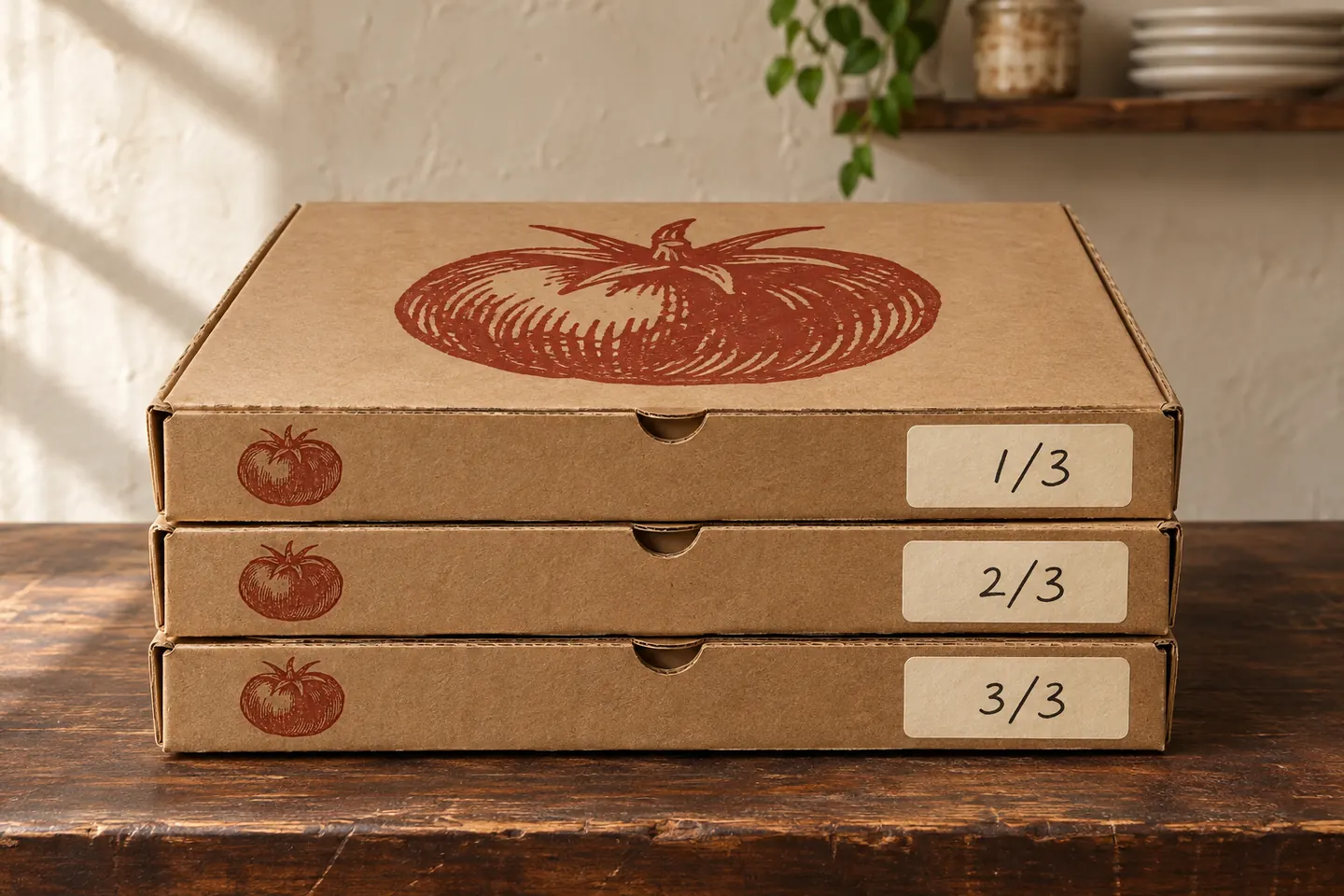
Start at the pickup shelf
Stack three empty boxes where finished orders wait. Stand in the cashier’s position, then look from the customer’s side. Two of the three lids have disappeared. The visible edges are doing most of the work.
Photograph both views and mark which panels face each person. Check the carrier bag too: a useful label on an exposed box may disappear when the order is packed. Give the designer these photographs alongside the flat template.
This guide focuses on panel layout and the handoff. For the wider product list and printer questions, use our food packaging design brief.
Give the lid and the edges different jobs
The lid can carry the main illustration or wordmark. The front edge needs a simpler version that remains recognisable on a shallow panel. Reserve space for order information before filling the remaining area with decoration.
Choose the box format before finalising this layout. Smurfit Westrock’s pizza range includes different sizes and formats with several printing options. Ask your own supplier which panels can be printed and what each option adds to the quote.
A restaurant identity should also connect to its other takeaway pieces. The Grim Burger case study shows the same identity across bags, wrapping and signage. It is a branding reference here; it does not document the pizza-box scenario in this guide.
Lid on the table
The main illustration or wordmark introduces the restaurant when the box is set down.
Edge on the shelf
A compact identity and a clear order mark remain visible when several boxes are stacked.
Packed handoff
Check what the carrier bag covers and where the collector looks for the complete order.
Editorial layout framework. Adapt it to the supplier’s construction and the way your staff pack orders.
Sources: Smurfit Westrock pizza packaging · Grim Burger restaurant identity by DBS
Make room for the marks staff actually use
Watch a member of staff write an order. Find out whether they use a marker, a printed sticker or both. Leave a clear patch in the place they naturally reach, then try the actual pen or label on a sample.
A short free-text field can handle changes that permanent topping checkboxes miss. Give the box count its own space so someone collecting a multi-box order can check that every part is present.
Keep these marks distinct from the illustration. A customer-facing brand message and a kitchen note have different readers. Ask staff whether a full customer name needs to be visible on a shared shelf.
A sample order to test
Hypothetical three-box collection: order 47 — margherita, 1 of 3; order 47 — mushrooms, 2 of 3; order 47 — half olives, 3 of 3. Use your kitchen’s actual shorthand and order process. These fields are a layout example.
47 · margherita
1 of 3 — mark the ticket number and the first box.
47 · mushrooms
2 of 3 — keep the order number in the same place.
47 · half olives
3 of 3 — check the stack against the ticket before handoff.
Hypothetical example. The three fields illustrate a handoff check rather than a prescribed kitchen system.
Build on the supplier’s exact template
A dieline is the flat drawing showing cuts, folds and the box panels. Use the file for the selected size and construction. Ask the printer to identify printable areas, required clearances, colour settings and export requirements.
PackSales provides templates for its standard pizza boxes and advises keeping important details away from folds, scores and seams. Its sample and proof options apply to its own products. Confirm the equivalent arrangements with your chosen supplier.
Fold a paper mockup before approval. Check which way each panel reads, whether the closure covers any text and whether artwork crosses an opening. Keep the working template separate from the artwork layers as the supplier requests.
For projects in the USA, UK, Canada or an EU country, identify the actual production and delivery location in the brief. Obtain that supplier’s specifications in the agreed units and confirm any language versions.
Keep a reorder link useful after dinner
If you include a QR code, decide where it should send the customer. A maintained ordering page is easier to reuse across print runs than an offer that expires. Print a readable web address beside it so the destination is clear.
DENSO WAVE specifies a clear margin four modules wide on every side of a standard QR Code. A module is one small square in the pattern. Preserve that space and check the printed code at its final size.
Scan a folded sample with several phones under the lighting where customers will use it. Ask the supplier about print quality on the chosen board. A code that scans from your monitor has passed a different test.
Try a mixed order before approving the run
Stage the sample order in the sizes you actually sell. Ask a second person to collect it using the ticket and the visible edges. Note every box they lift or turn. Move a troublesome label on the folded sample, then transfer the correction to the artwork.
Repeat the check in the carrier bag. Confirm that staff can see the information they need and that the customer sees the intended brand panel when receiving the order.
Record the approved template, artwork revision and proof. Give your designer and printer the same final files. Use the checklist below to attach the handoff decisions to that revision.
Try it with your project
Your selections stay on this page until you leave or refresh. Copy them to keep a record.
Your next step
Brief the box around your service.
Send DBS your supplier’s box templates, the sizes you use and photographs of your pickup shelf. We can scope the identity, panel layouts and artwork handover around the way your restaurant works.
Discuss food branding and packagingWhat happened when you tried?
When your boxes are stacked, can your team identify the order without turning the stack?
Share your feedback
Email us directly at hello@designerbstudio.com.
Replies go to our inbox; they are not posted publicly. Please leave out verification codes and identity documents.